
For some obscure reason, there is no way to adjust the settings of the fan from the webinterface of the switch. You need to use a console access through SSH, I prefer to use PuTTY.
The fan configuration options might not be available, if your firmware is too old. If you need help on how to upgrade your Grandstream Managed Switch firmware, check out this article.
Log into your switch via IP address and port 22. Use the username and password as for webinterface.
Type ? to get a list of possible commands. Adding ? after a command will give you help or reveal submenu commands. Remember to add a white space between command and ?.
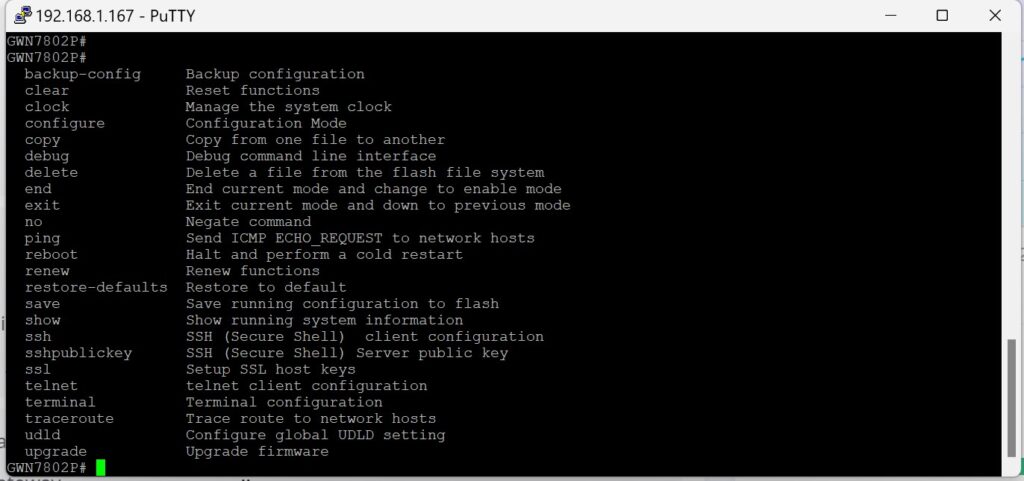
Show can be used to get some basic information. Show fan gives you the fan status and Show temperature gives you the system temperature. In some old firmwares, there is a spelling error, so the command is Show temperture.
To change fan settings, we need to enter configuration mode. Do this by typing the command configure. Enter a single ? to get the list of possible configure commands. Configuration mode is also indicated by (config) added to the command line.
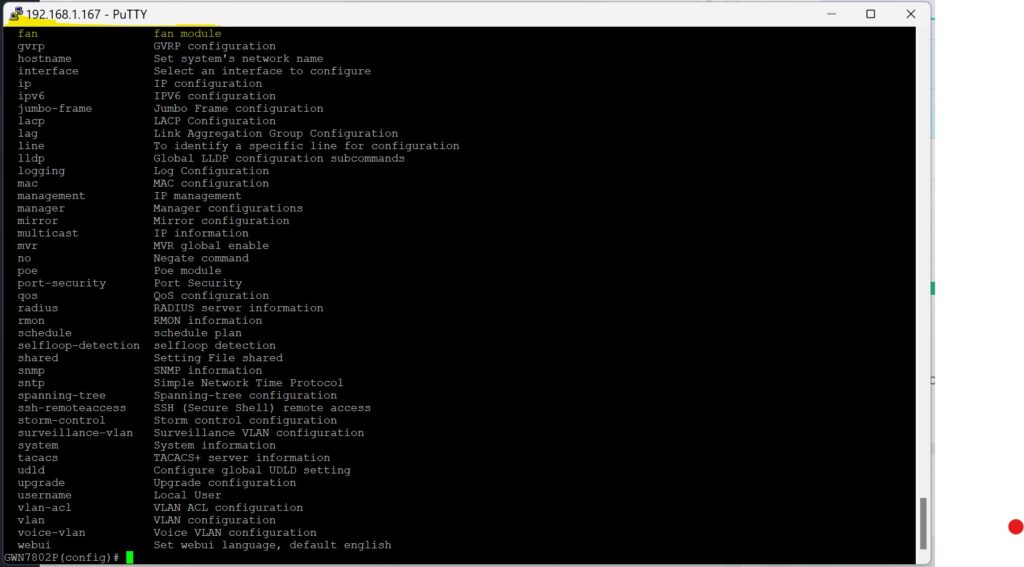
In the following image, 6 different commands are shown and their result.
fan ? gives us the two possible settings. mode_force is a command to set the fan to automatic mode. Speed is a subcommand with additional choices.
fan speed ? shows the 3 options for manual fan control.
fan speed high commands the fan to permanently be on and run at high speed.
fan speed stop commands the fan to always be turned off. No automatic temperature control will turn it on. There might still be some CPU throttling or other emergency thermal shutdown, but assume you risk damaging your switch by setting fan to stop!
fan speed low commands the fan to permanently be on and run at low speed.
fan mode_force commands the fan to automatic control. Fan will only run at certain temperature and fan speed is controlled automatically as well.
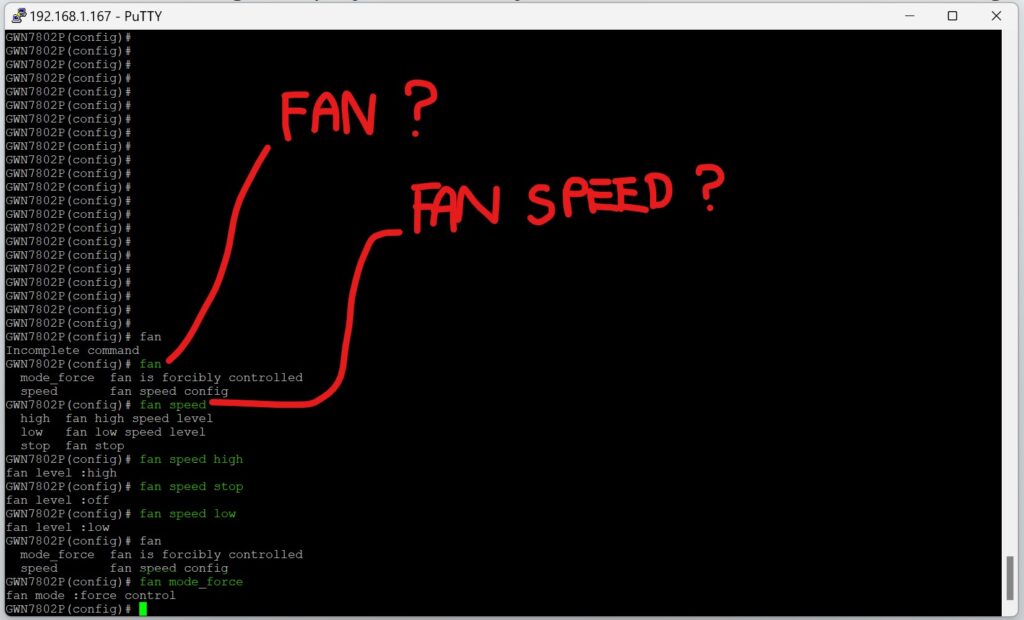
Despite the commands can be somewhat misleading, we successfully demonstrated that you can get control over the fan in a Grandstream managed switch.
You can exit the configure mode by typing command end.
Discover more from SCADA, PLC and Automation Engineering
Subscribe to get the latest posts sent to your email.