
The DDESuiteLink protocol in AVEVA System Platform 2020 R2 SP1 that connects to the OI Gateway R3, does not support unsigned 32 bit integers. All Integer datatype attributes on objects, are read as signed integers, despite being read correctly from the OPC UA server in the PLC.
The solution is to never use bit 31 in a bit mapping, as this is the data for signed or unsigned. You can only use 31 bits in a status word. Read the full explanation and data flow below.
Data from the Codesys PLC
The background for this problem, is the implementation of a status function block in a PLC. The status block collects 32 bits of information and packs them in a DWORD datatype in the Codesys Runtime PLC.
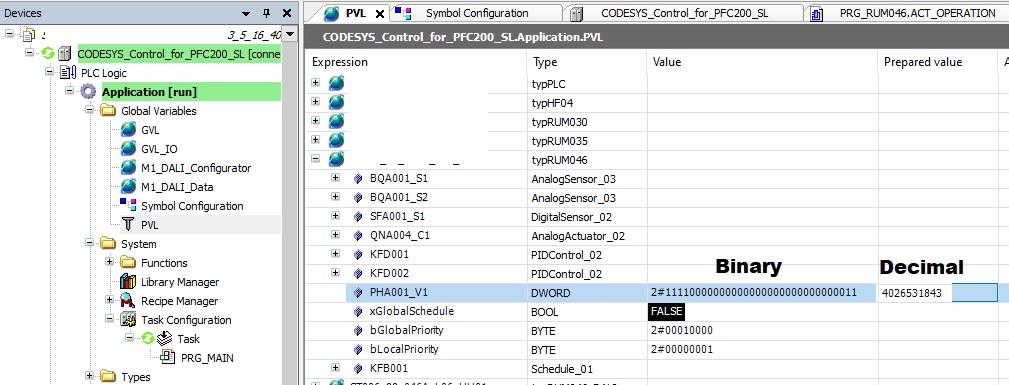
Here the signal PHA001_V1 shows a DWORD with a binary value and its decimal representation.
System Platform Object for 32 bits of Boolean values
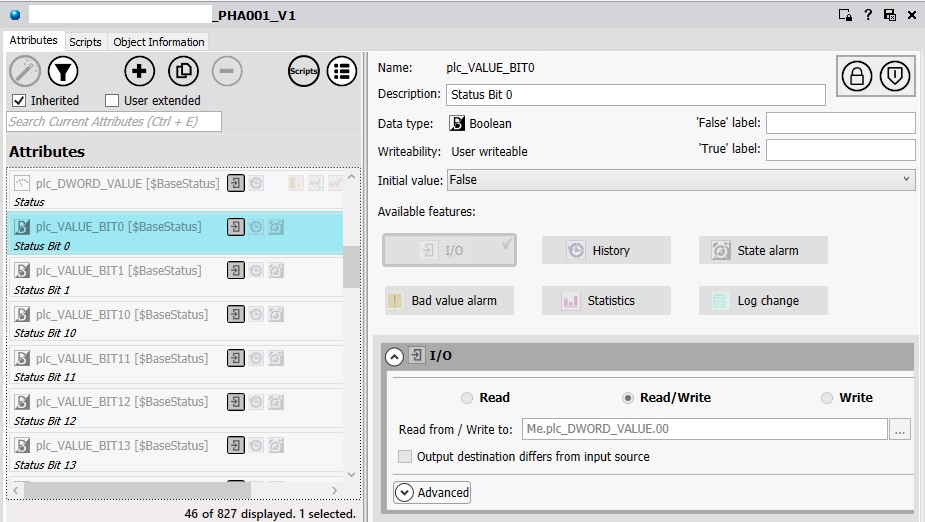
In System Platform, the receiving object has a DWORD attribute configured and 32 bits of Booleans for reading out each single bit value. The only possible datatype is an Integer. There is no choice of signed or unsigned, this is where our troubles start.
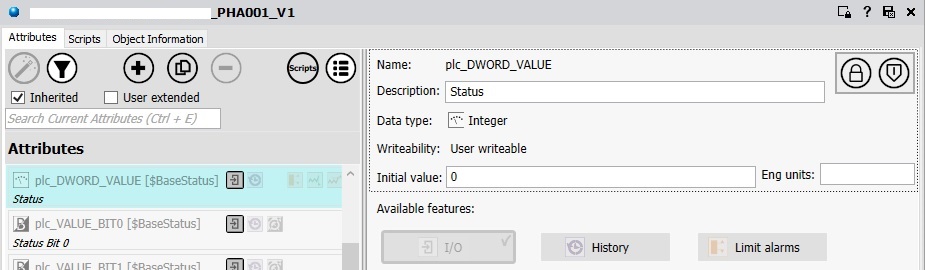
Each bit is being read out with a reference to the DWORD attribute and is being called with .00 for bit 0 up to .31 for bit 31.
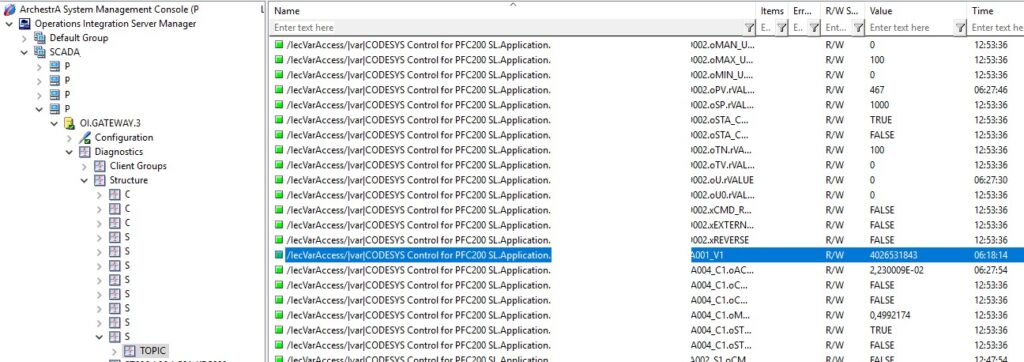
System Platform OI Gateway OPC UA Client
The OI Gateway OPC UA Client reads the DWORD just fine, as a unsigned Integer. So far so good. The unsigned integer from the Codesys PLC comes correctly through the OPC UA server to the client.
System Platform DDESuiteLink Unsigned Integer
When viewing the DWORD and BIT00 object attributes in the Object Viewer, it is clear that the Integer is being parsed as a signed integer and its overrun into the maximum positive value of a signed integer.

The solution is to only use bit 00 to bit 30 in a status word, as System Platform treats all integer datatypes as signed integers.
Discover more from SCADA, PLC and Automation Engineering
Subscribe to get the latest posts sent to your email.