
Keeping your devices and equipment updated, is an important part of your entire IT security life cycle.
Grandstream switches was as default configured with a firmware http path and to download latest firmware at bootup. This led to massive unwanted firmware upgrades and Grandstream could only fix it by taking down the webserver firmware path and provide a list of new specific paths.
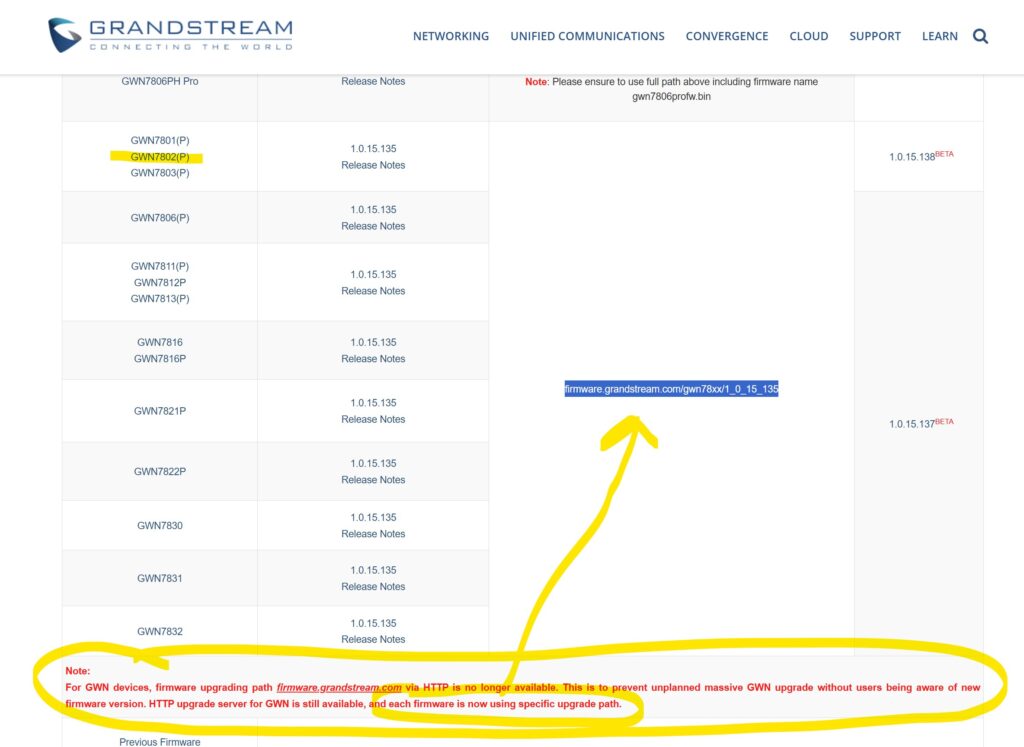
For GWN devices, firmware upgrading path firmware.grandstream.com via HTTP is no longer available.
Go to https://www.grandstream.com/support/firmware and find your device, copy the path for firmware
Log into your switch and go to Maintenance > Upgrade. Paste the new path into Firmware Server Path and press OK.
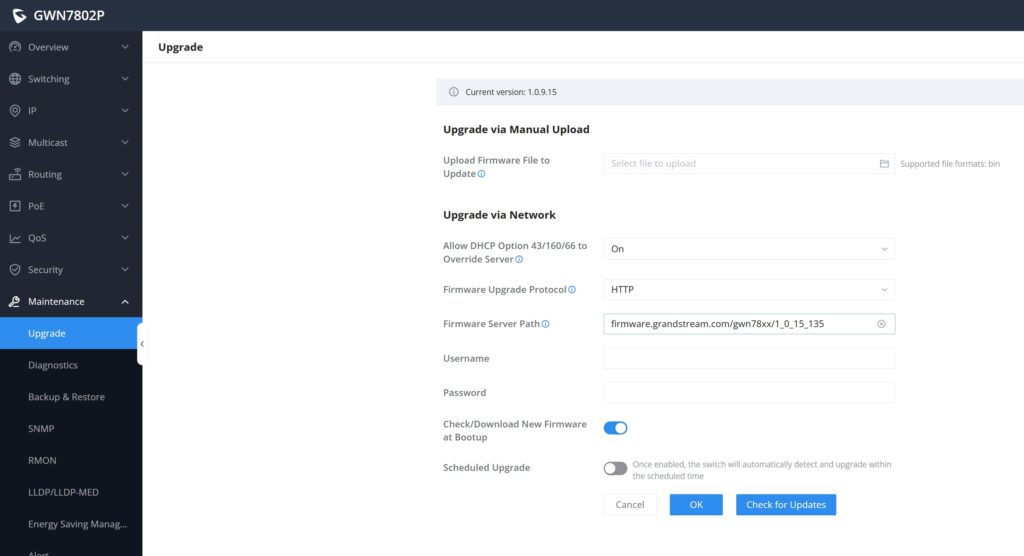
Press Check for Updates next.
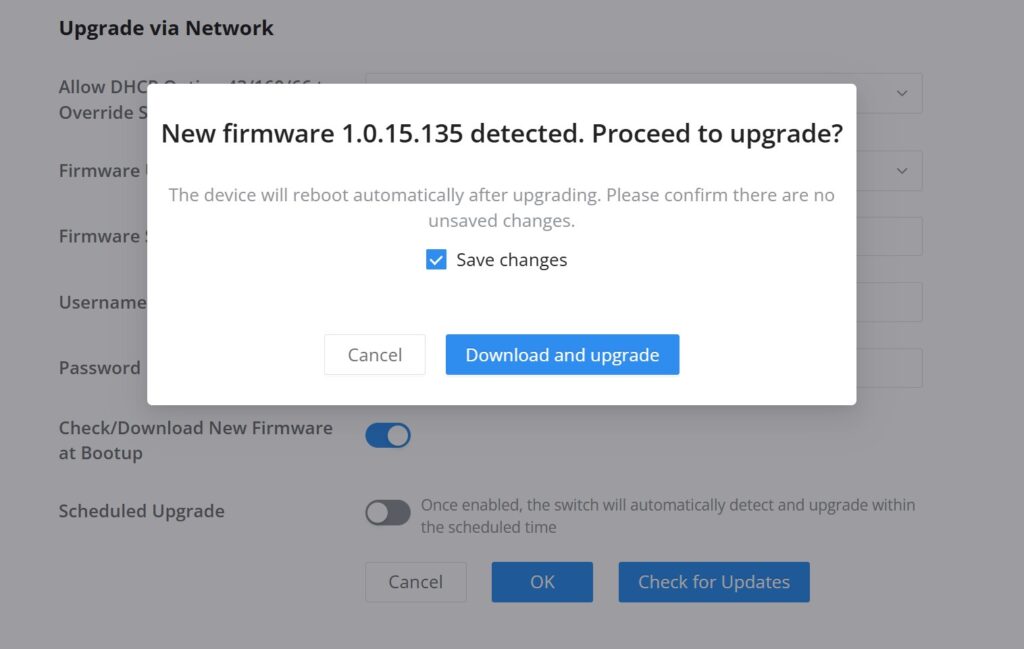
Press Download and upgrade. Cross fingers for process to finish without errors or power losses!
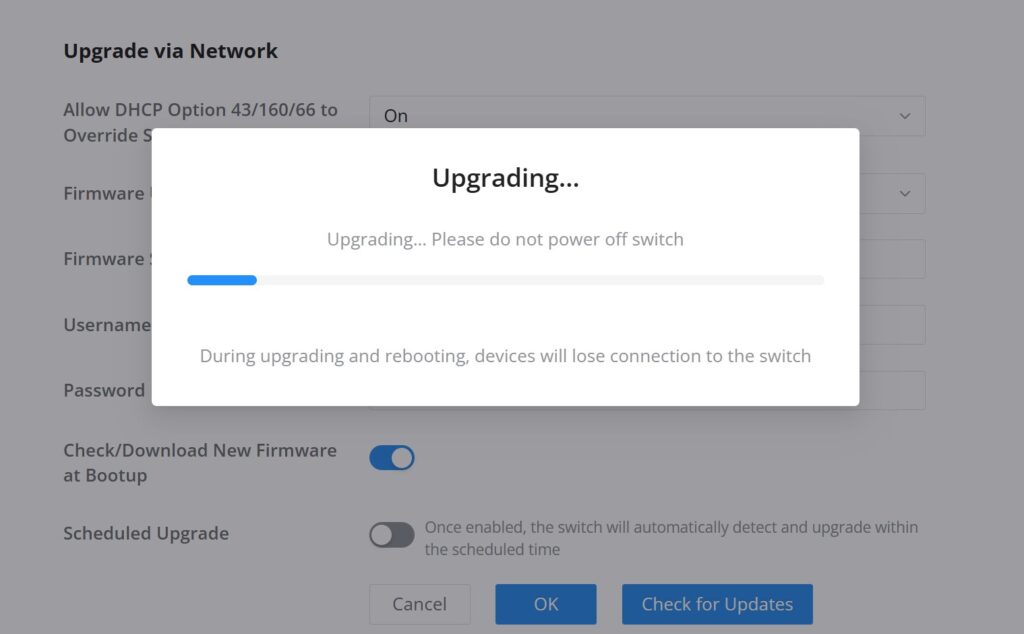
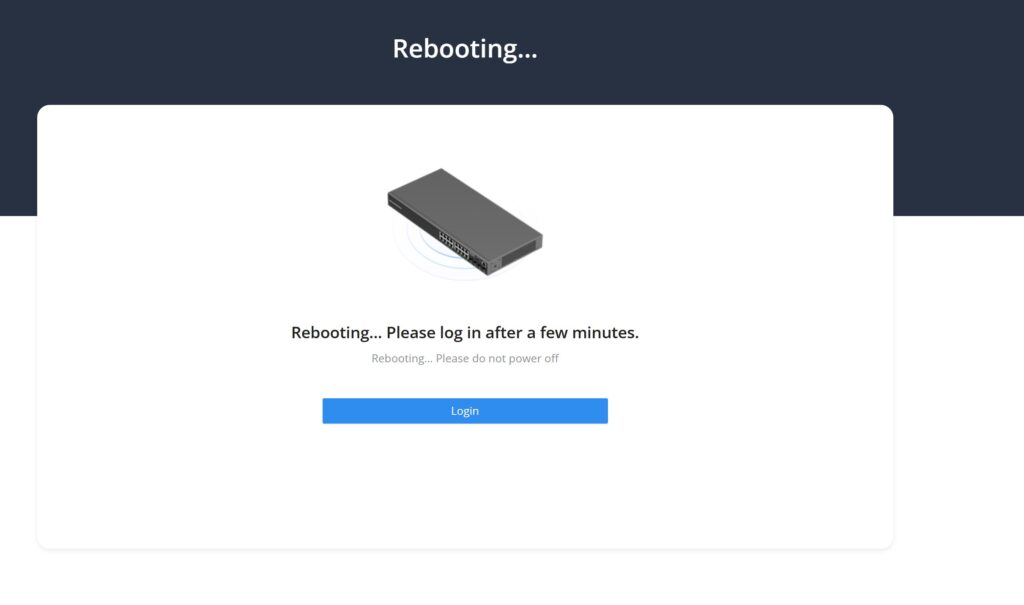
Your managed switch’s firmware is now upgrade and you can enjoy the patched security flaws and new features!
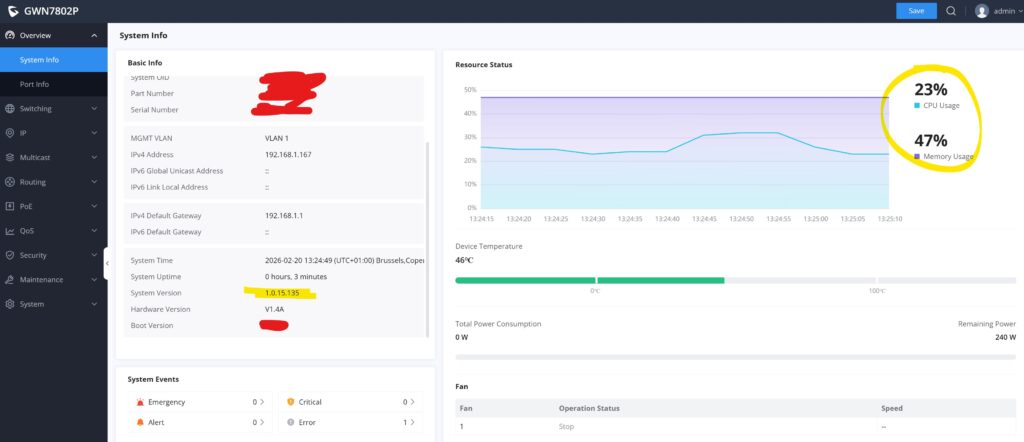
CPU and RAM usage is also much less after firmware upgrade, but it could also just be reboot after an uptime of 50 days… Time will tell 🙂
Discover more from SCADA, PLC and Automation Engineering
Subscribe to get the latest posts sent to your email.
The update from 1.0.9.15 to 1.0.15.135 also had the pleasant surprised of much less fan running. The threshold is either higher or they introduced a rule against running at the slightest change in load.
When I turned on my PC, it would make the fan start in the switch, just from new loads on a few ports. This has completely stopped after the firmware upgrade.
The bar graph on the dashboard has only changed with some indications of limits of the temperature, not sure what they are yet 🙂 Marking out 0 and 100 seems a little weird…