
This is a guide on how to upgrade a already installed Codesys 3.5.16.20 runtime, on a Beckhoff CX-5130 Industrial PC, to Codesys version 3.5.16.40.
Download the runtime and package from codesys.com where you need the CODESYS Control RTE SL (for Beckhoff CX) files. This zip contains both the runtime for the PLC, drivers for the EtherCat bus and the package for the Codesys IDE Development System V3.
On the CX-5130 controller, run the installation of the runtime environment by either installing CODESYS Control RTE 3.5.16.40.exe or CODESYS Control RTE 64 3.5.16.40.exe depending on if you want a 32- og 64-bit installation.
I use a CX-5130-0150 controller, 0150 which means it comes with Windows 10 and without a pre-installed TwinCat license.
For additional information, read the short introduction in the document: “First Steps for RTE on CX2xxx.pdf” that is in the zip file, for additional questions consult the manual in CODESYSControlRTEV3_Manual.pdf.

The installation is guided by a standard InstallShield Wizard and the installation is a lot of “Click Next”.
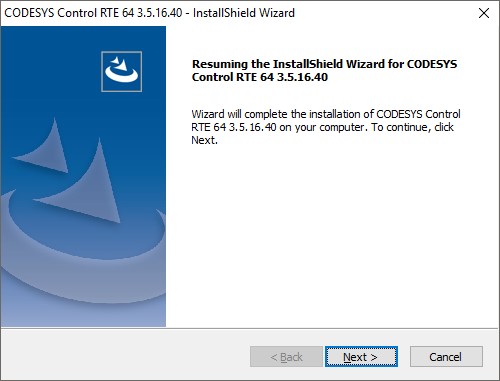
The installation stops all running PLC services before upgrading. Notice that there seems to be some spelling errors with the version numbers, its all mixed up and dots are missing.

Go to the Task Manager with CTRL+ALT+DELETE if you are locally on the IPC or use CTRL+ALT+END if you are using remote desktop.

Since the EtherCat device drivers are included, Windows want you to accept the installation of these.

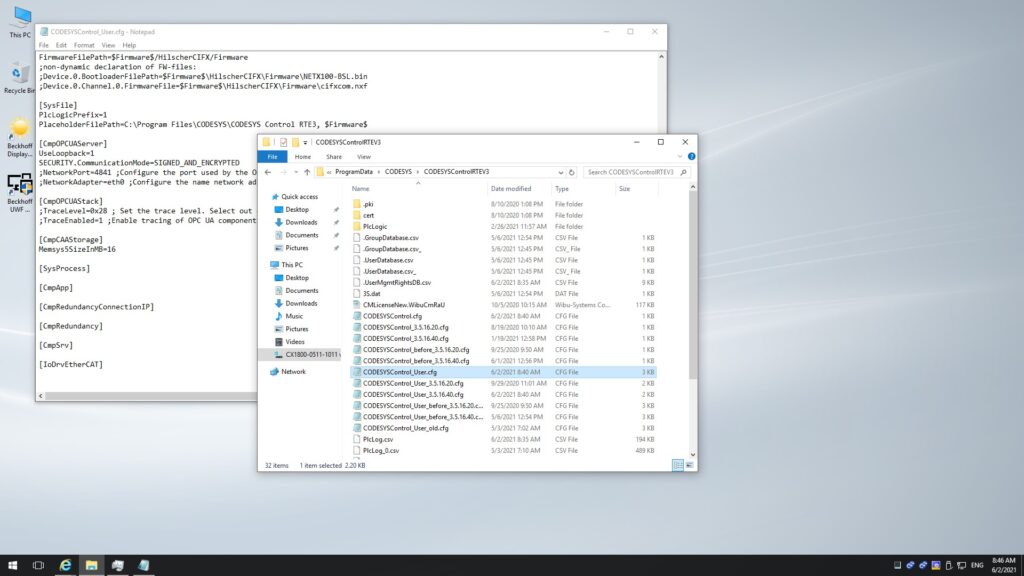
The backup files with controller and user configuration are given with path to the folders.

Restart the computer before downloading a project with the new version, else you will face a fatal error and the PLC will not go in Run mode.

Before rebooting the PLC, check if all your custom settings to f.ex. CODESYSControl_User.cfg has been transferred to the upgraded version. I personally checked for the security settings of the CmpOPCUAServer.
Click the tray icon on the IPC and select “Start PLC”. Shortly after the PLC is running and we can inspect that the new target version is 3.5.16.40.

Now fetch some coffee and read this article next https://disorder.dk/wonderware/2020/08/11/codesys-3-5-16-10-runtime-on-a-beckhoff-cx-5130/ on how to program your Beckhoff CX controller with Codesys.
Discover more from SCADA, PLC and Automation Engineering
Subscribe to get the latest posts sent to your email.